Docs
Read the results
The results list, the four comparison views, and the keyboard shortcuts.
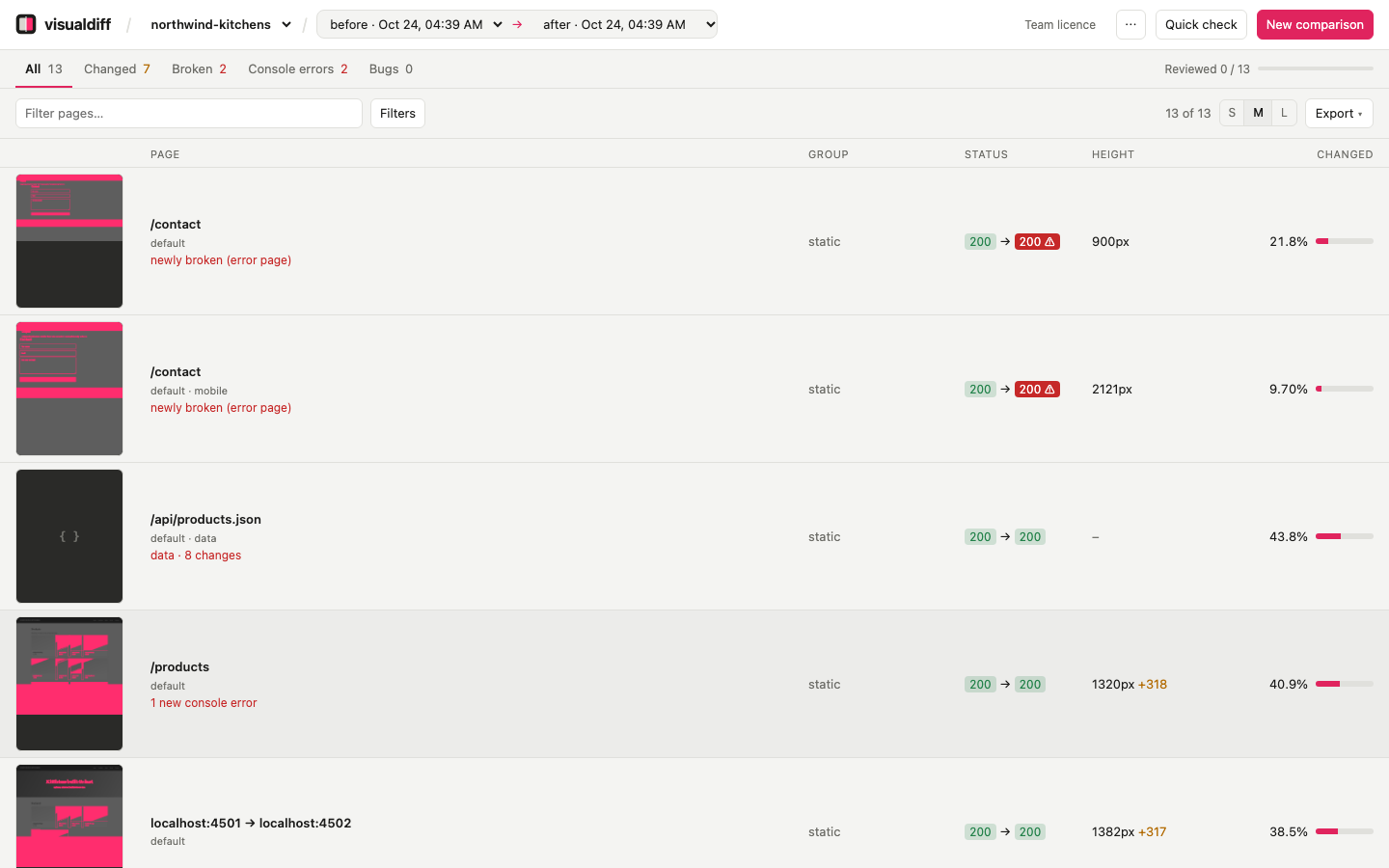
The summary#
The chips along the top give the overall picture. Click one to filter by it.
| Chip | Meaning |
|---|---|
| pages | Every page × viewport (plus data responses) in the comparison |
| changed >1% | More than 1% of the page's pixels differ |
| identical | Not a single pixel differs |
| newly broken | Fine before, broken after: a 5xx, or an error page that still answers 200 |
| capture failed | The page couldn't be captured, even after retrying. Says nothing about the site: re-shoot them |
| new console errors | JavaScript errors after that weren't there before |
| bugs, reviewed | Your review progress |
Each row#
- Heatmap: the whole page shrunk down, with changed areas in pink, so you can see where it changed before opening it. Data responses show
{ }orTXT. - Page: the path, the site and the viewport. Red notes flag newly broken, new console errors, or how many fields changed.
- Group: where the page came from: a section, post type, collection, Filament resource or route group.
- Status: HTTP status before → after.
200 ⚠means the page answered 200 but is an error page. - Height: the page height after, and how much it changed. A big height change usually means something near the top moved everything below it.
- Changed: the share of pixels that differ.
Rows are sorted worst first: newly broken pages, then by % changed. Filters narrow the list by URL, site, group, viewport, minimum % changed, status, review state or new console errors. To see only what broke:
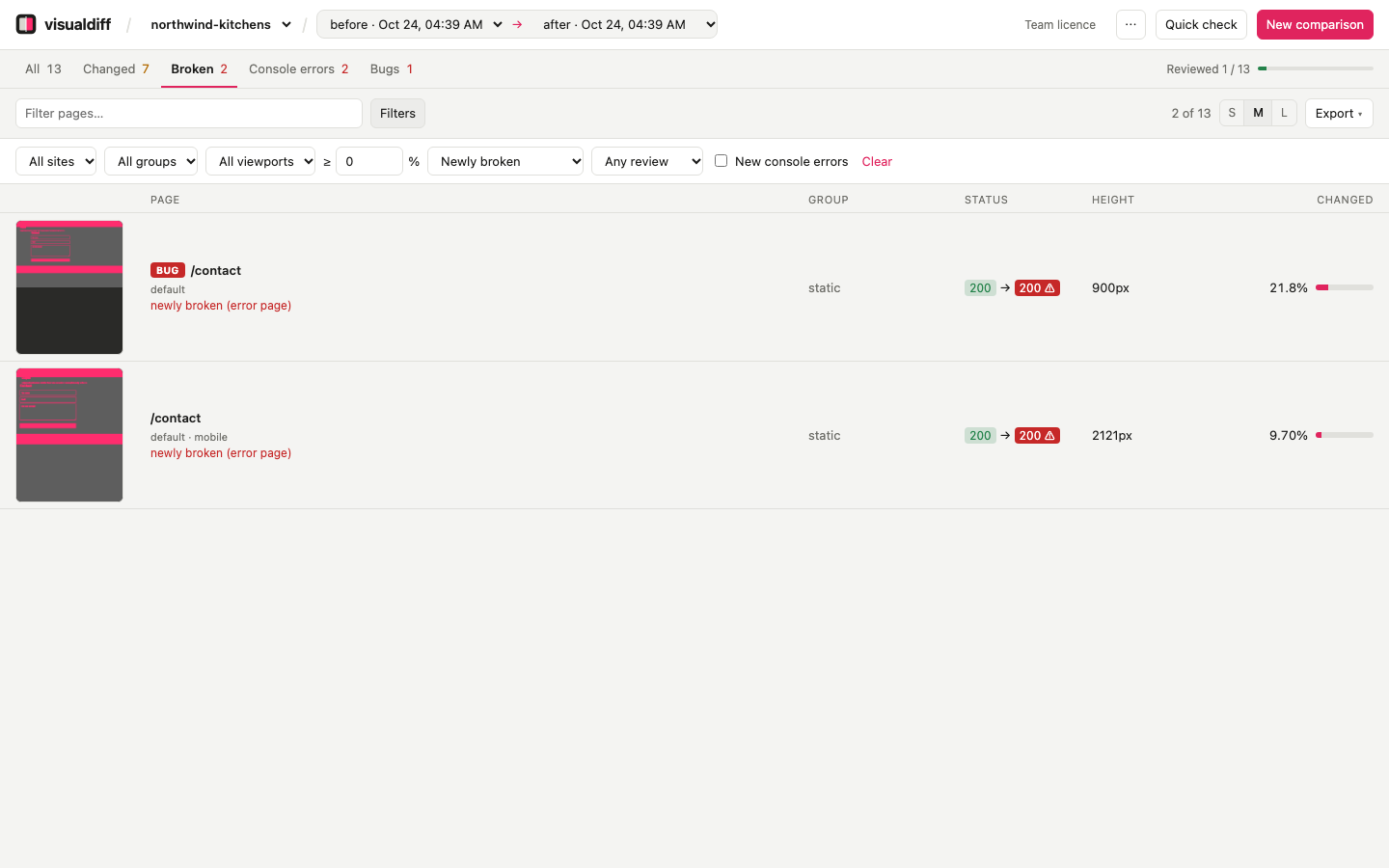
Filters are remembered per project.
Inspect a page#
Click a row, or press Enter. There are four ways to compare, a rail on the left marking where the changes are, and details and review on the right.
Side by side puts before and after next to each other, plus the difference image when + diff is ticked. Scrolling one scrolls the others. Best for reading what changed.
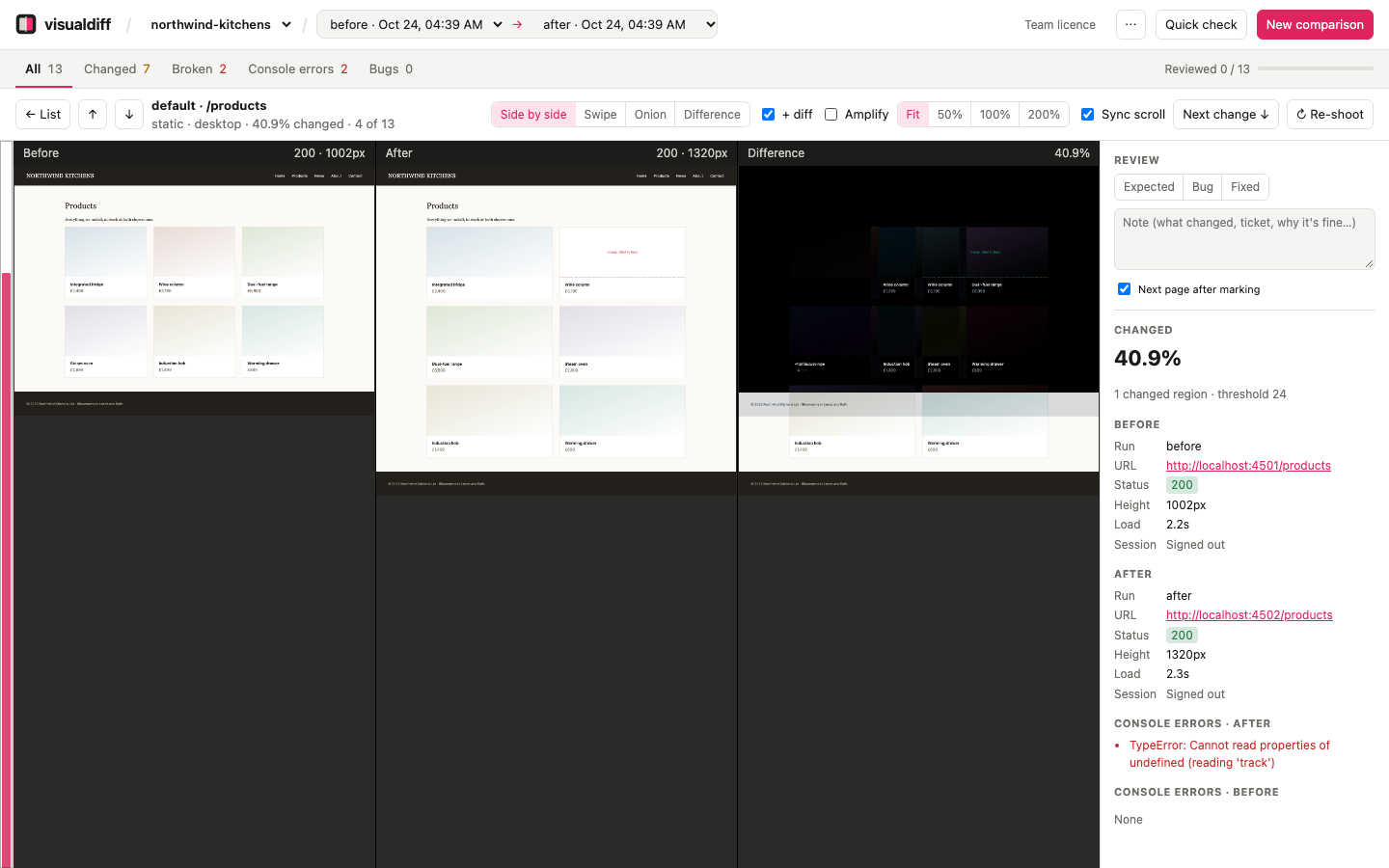
Swipe stacks after on top of before; drag to move the divider. The quickest way to spot shifted, resized or missing elements: here the second product image failed to load and the grid went from three columns to two.
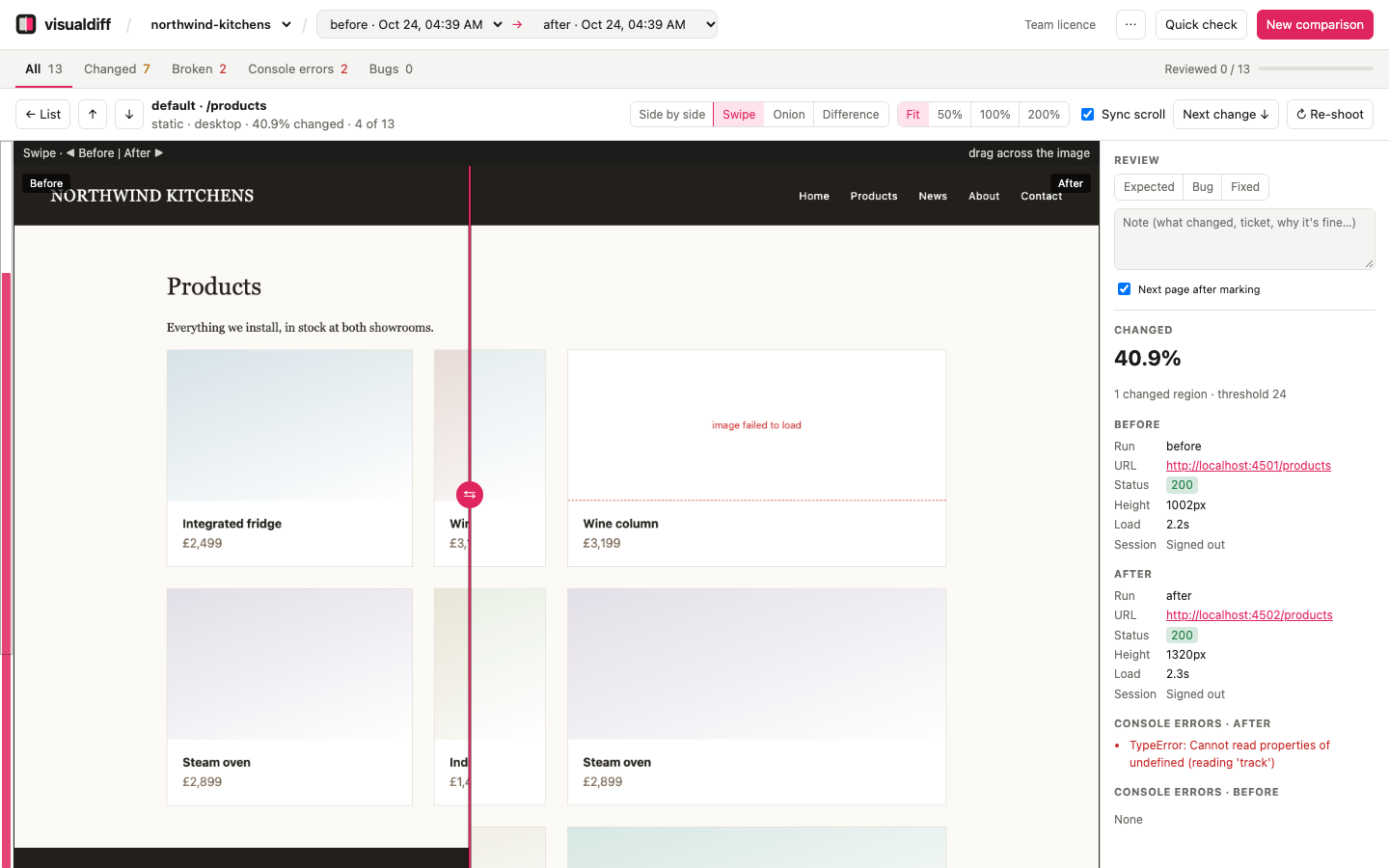
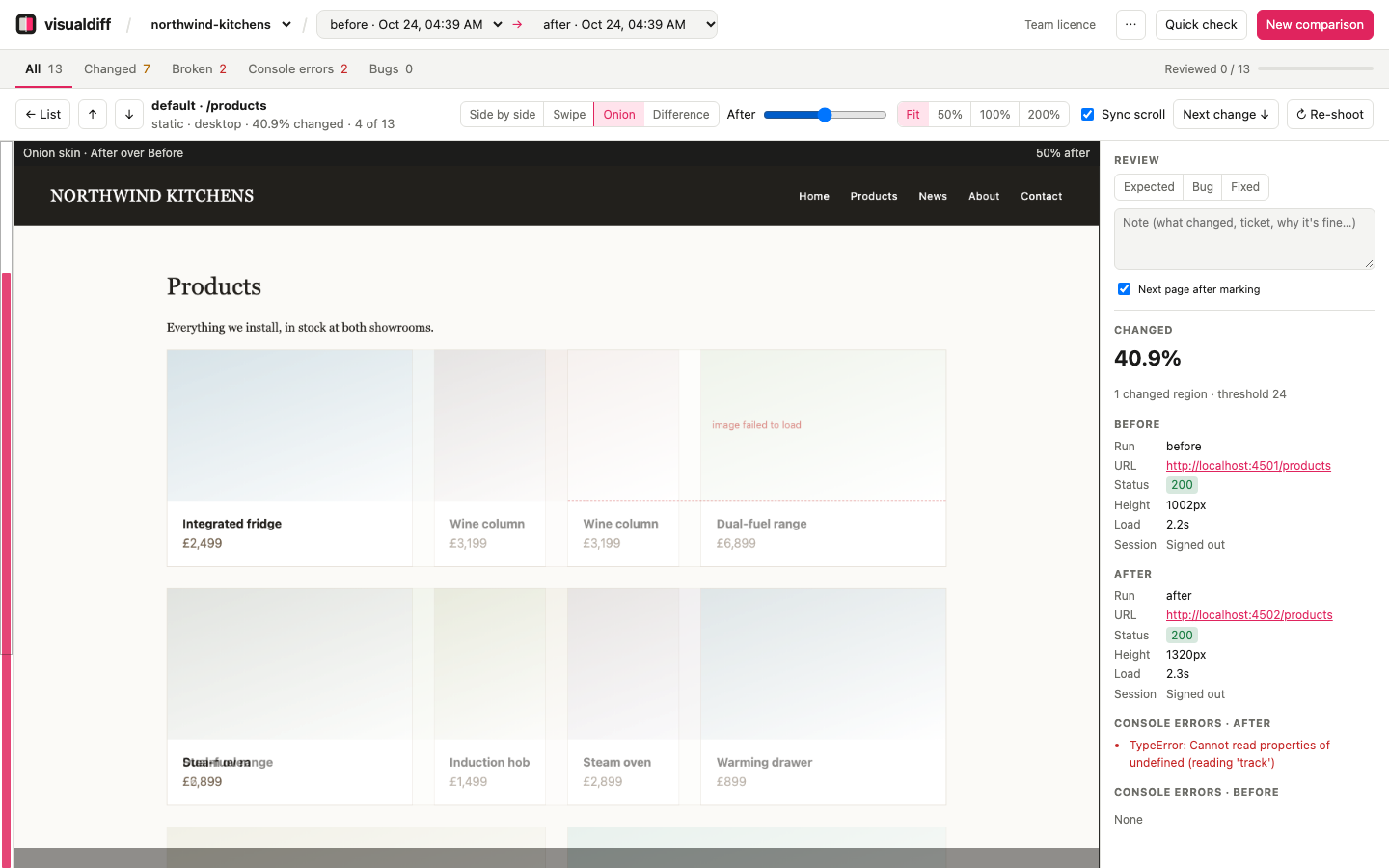
Onion skin fades after over before. Good for small shifts in spacing, fonts and alignment, which show up as ghosting.
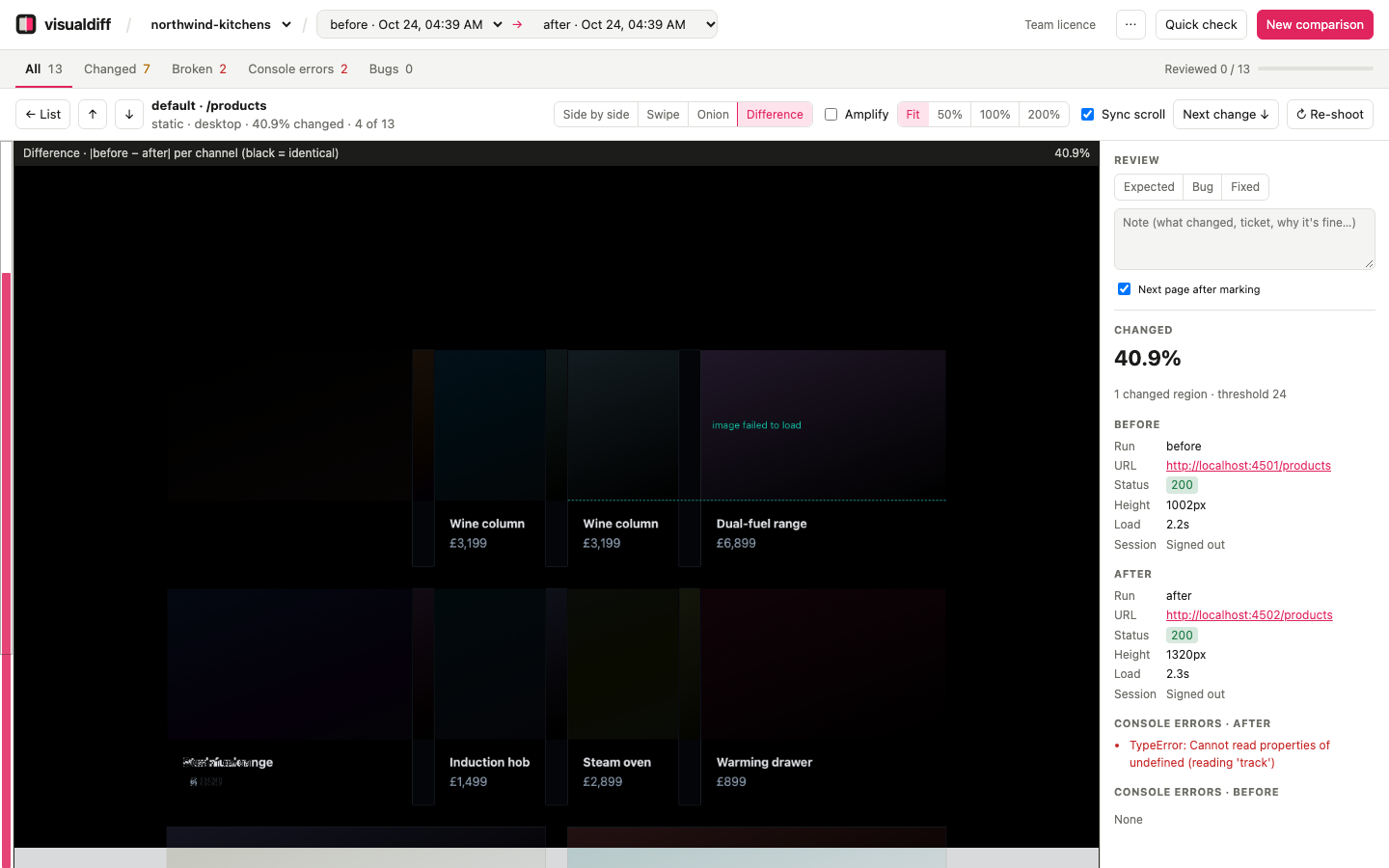
Difference shows the raw difference: black where nothing changed, light where something did. Amplify brightens faint differences such as anti-aliasing or a slightly different colour.
Also in the page view:
- Zoom: fit, 50%, 100% or 200%.
- Rail and Next change: the pink bands on the left are the changed regions. Click one, or press
n, to jump to the next. - ↻ Re-shoot (
r): capture this page again on both sides and re-compare only it. - Details: the URLs (click through to the live page), status, height, load time and console errors. Errors that are new in after are red.
Keyboard#
| Key | Does |
|---|---|
j / k, → / ← |
Next / previous page in the filtered list |
1 2 3 4 |
Side by side, swipe, onion skin, difference |
n |
Next changed region |
r |
Re-shoot this page |
a |
Amplify the difference |
e b f |
Mark expected, bug, fixed |
Esc |
Back to the list |
How differences are measured#
- Changed pixel: the red, green and blue differences add up to more than the threshold: 24 by default, out of 765. That ignores invisible noise but catches real colour changes. Set
"threshold"in the config. - % changed: changed pixels ÷ all pixels of the larger image. If the heights differ, the extra part counts as changed.
- Changed regions: bands at least 40px tall with more than a speck of change, merged when close together. They drive the rail and Next change.
- Newly broken: before was fine; after has a 5xx or an error page. An error page is a 2xx response whose title (
Oops!,Internal Server Error) or text (Fatal error:,Uncaught …Exception,Stack trace:,SQLSTATE[, Twig errors) looks like an error. The patterns can be changed in the config. - New console errors: JavaScript errors after that weren't there before. Errors from requests visualdiff blocked itself, like trackers, are ignored.
- Data responses: % changed is the share of JSON values, or text lines, that differ.