Docs
Set up a project
Point visualdiff at a site's repo folder and save its vdiff.config.json.
A project is one site: its repo folder, its environments (the URLs to compare) and where its pages come from. Set it up once; the settings are saved in the repo as vdiff.config.json, so the rest of your team gets them too.
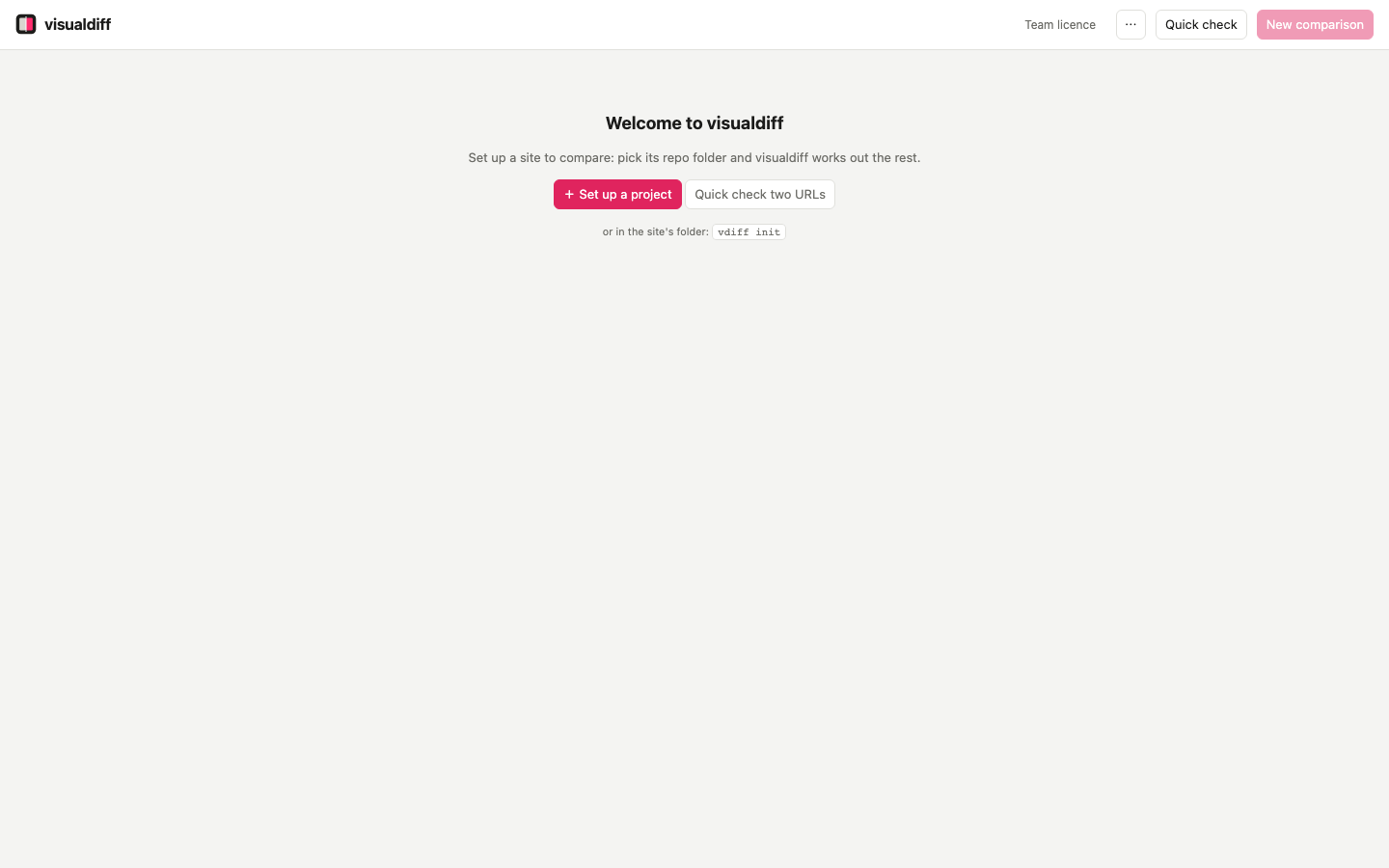
Pick the folder#
+ Set up a project (or + Project in the header) opens a folder picker. In the app it's your Mac's own picker; in the browser version, a folder browser that tags each folder with the kind of site visualdiff finds in it. Folders that already have a vdiff.config.json are tagged set up.
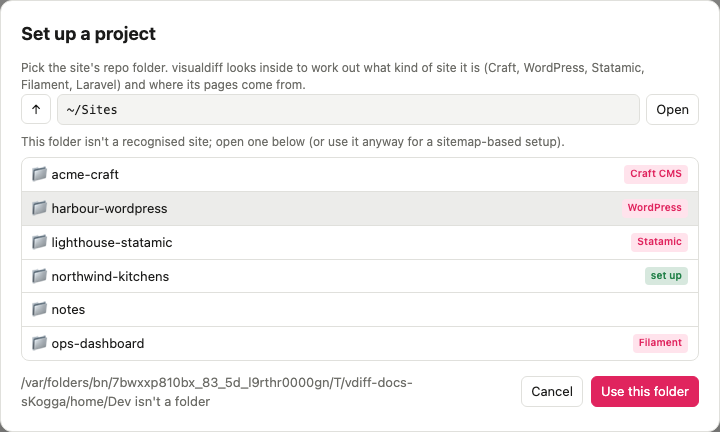
Check what it found#
visualdiff fills in what it can:
- Project name: the folder's name. Comparisons are stored under it.
- Sites: one row per site. A Craft multi-site install has several, WordPress multisite one per network site, Statamic one per site.
- After: usually read from the project's
.env, or from WordPress itself. For Craft it also guesses the other sites' local hosts from your Herd links (acme-c4-fr.test). - Before: the version to compare against, often a copy of the site before the upgrade. Leave it empty if you'll compare git branches instead (see Compare git branches).
- Pages come from: the page sources it set up, and how branches will be prepared.
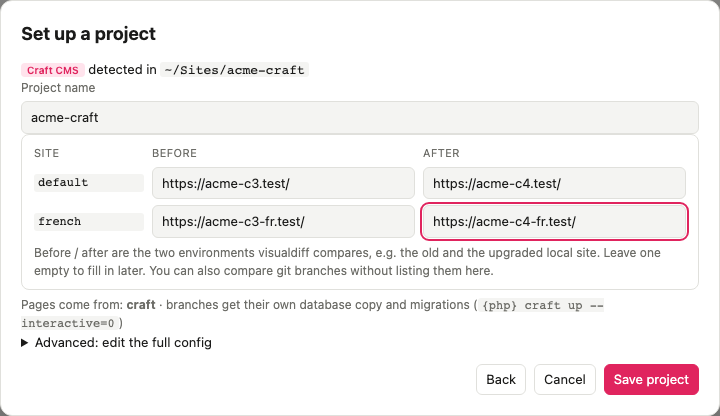
Save project writes vdiff.config.json into the folder. Commit it. Advanced lets you edit the whole file before saving: viewports, hidden selectors, blocked hosts, page rules. Every option is in the reference.
More than two versions#
before and after are only names. A project can hold as many environments as you like, for example craft3, craft4 and craft5, and any two can be compared. Add, rename or remove them from ⋯ → Environments… (or Add or edit environments in New comparison): a name and a URL for each site.
Site types#
visualdiff recognises these and sets up the matching page source:
| Site | Detected by | Pages come from |
|---|---|---|
| Craft CMS 3, 4, 5 | craft file, craftcms/cms |
The Craft database: sections, Commerce products, categories |
| WordPress (and multisite, Bedrock) | wp-config.php, wp-content |
WordPress itself: every public post type, archives, taxonomy terms, REST |
| Statamic 3–6 | statamic/cms |
Published entries and taxonomy terms, per site |
| Filament 2–5 | filament/filament |
Every panel's pages and resources |
| Laravel | artisan |
The router: GET routes, with route parameters filled in |
| Anything else | A sitemap, or a list of pages you give it |
Details for each are in Page sources.
From the command line#
cd ~/Dev/acme
vdiff init --before https://acme-c3.test/ --after https://acme-c4.test/
vdiff init detects the same things and writes the same file.